Download ESX
Latest stable release of ESX - PS3 Emulator v3.1.0 for Windows, macOS, and Linux.
Windows
81.90 MB
esx_3.1.0_setup.zip
macOS
75.40 MB
esx_3.1.0_macos.dmg
Linux
72.15 MB
esx_3.1.0_linux.tar.gz
Setup Guide
After downloading, extract the archive and run ESX as administrator. Follow these steps to configure the emulator.
Check ESX Gameplay
See flawless ESX gameplay in action and see what native emulation is capable of.
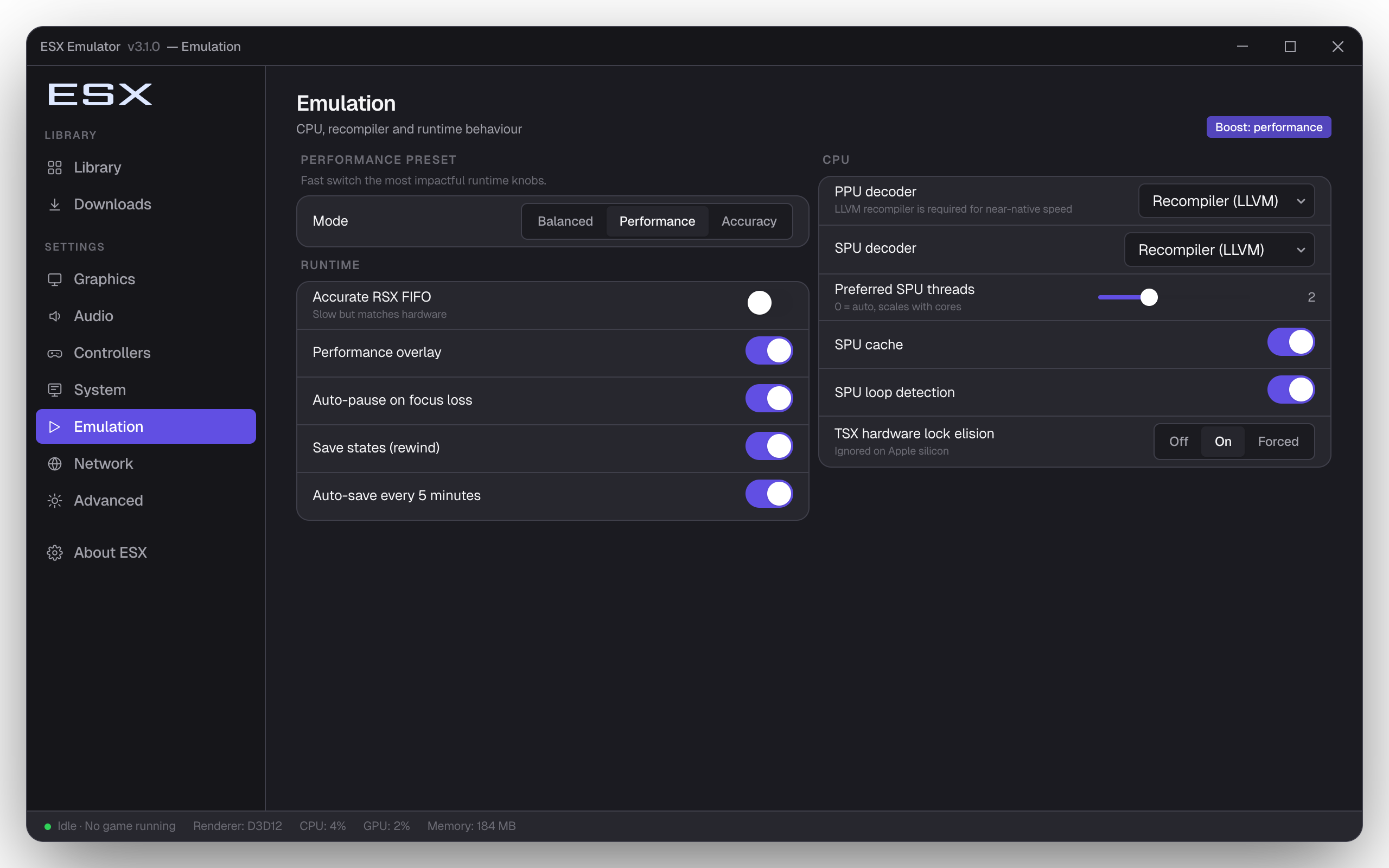
Add Your Game Library
Launch ESX and go to Settings to add your PS3 game directory. ESX scans for installed game folders and PKG files, displaying your full collection with cover art in the game library view.
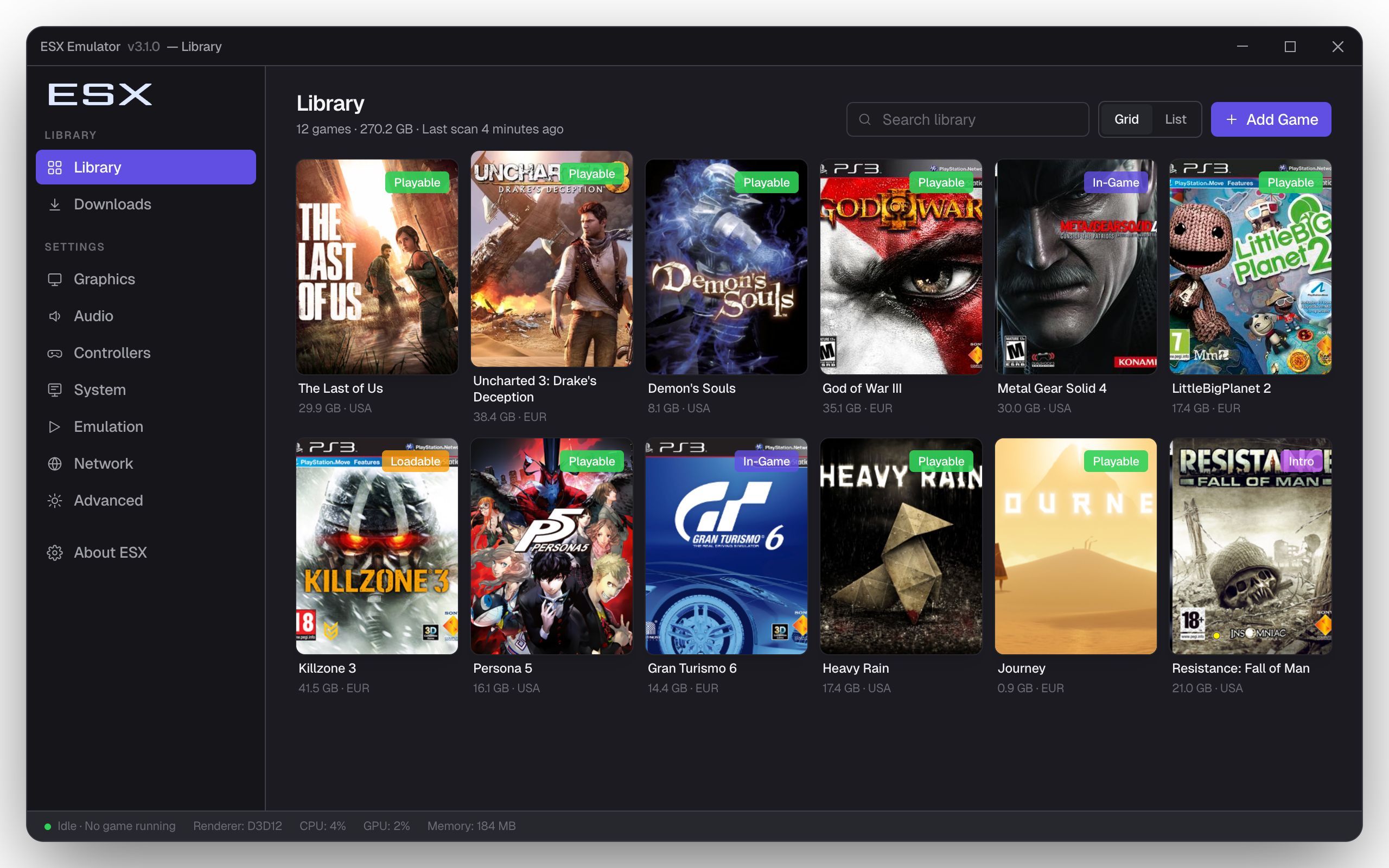
Configure Graphics Settings
Select your GPU renderer (Vulkan recommended for most GPUs), set internal resolution up to 4K, and toggle anti-aliasing. Disable vsync on lower-end hardware to maintain a stable frame rate.
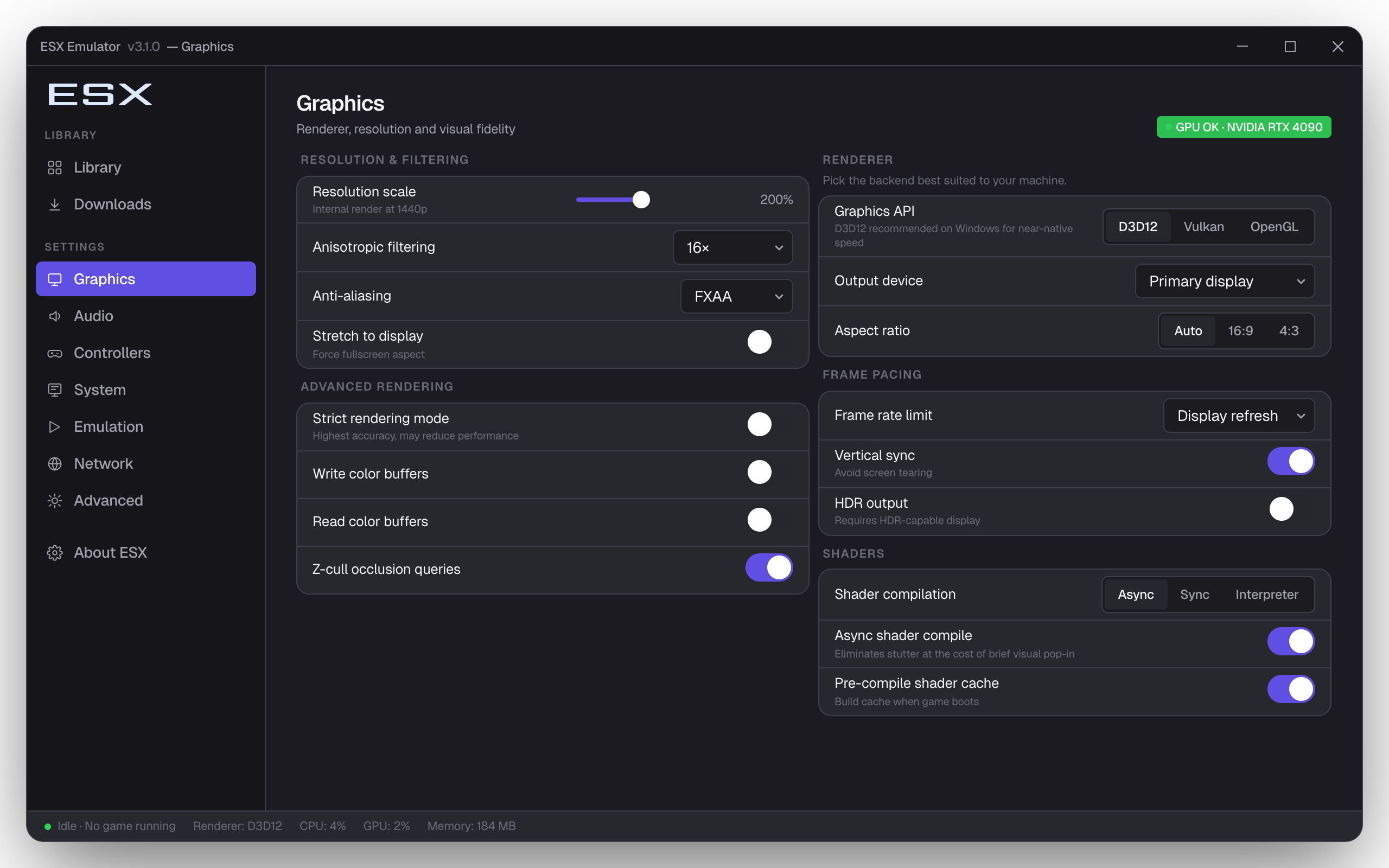
Set Up Your Controller
ESX supports DualShock 3, DualShock 4, Xbox, and generic XInput controllers via USB or Bluetooth. Open the controller settings to remap buttons, adjust stick sensitivity, and enable vibration.
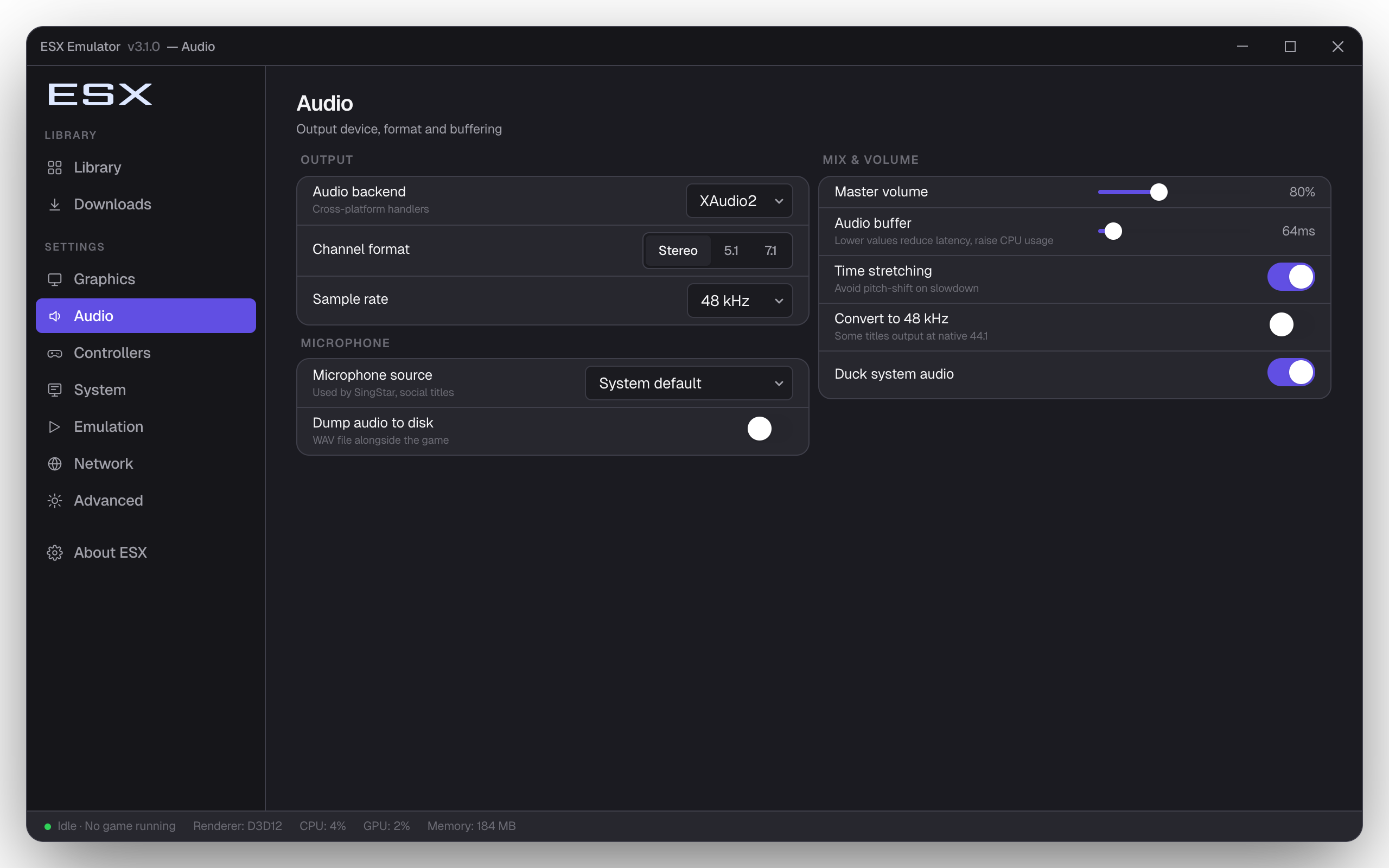
Configure Audio
Choose your audio backend (XAudio2 or OpenAL) and set your preferred output device. Adjust the audio buffer size if you experience crackling or latency issues during gameplay.
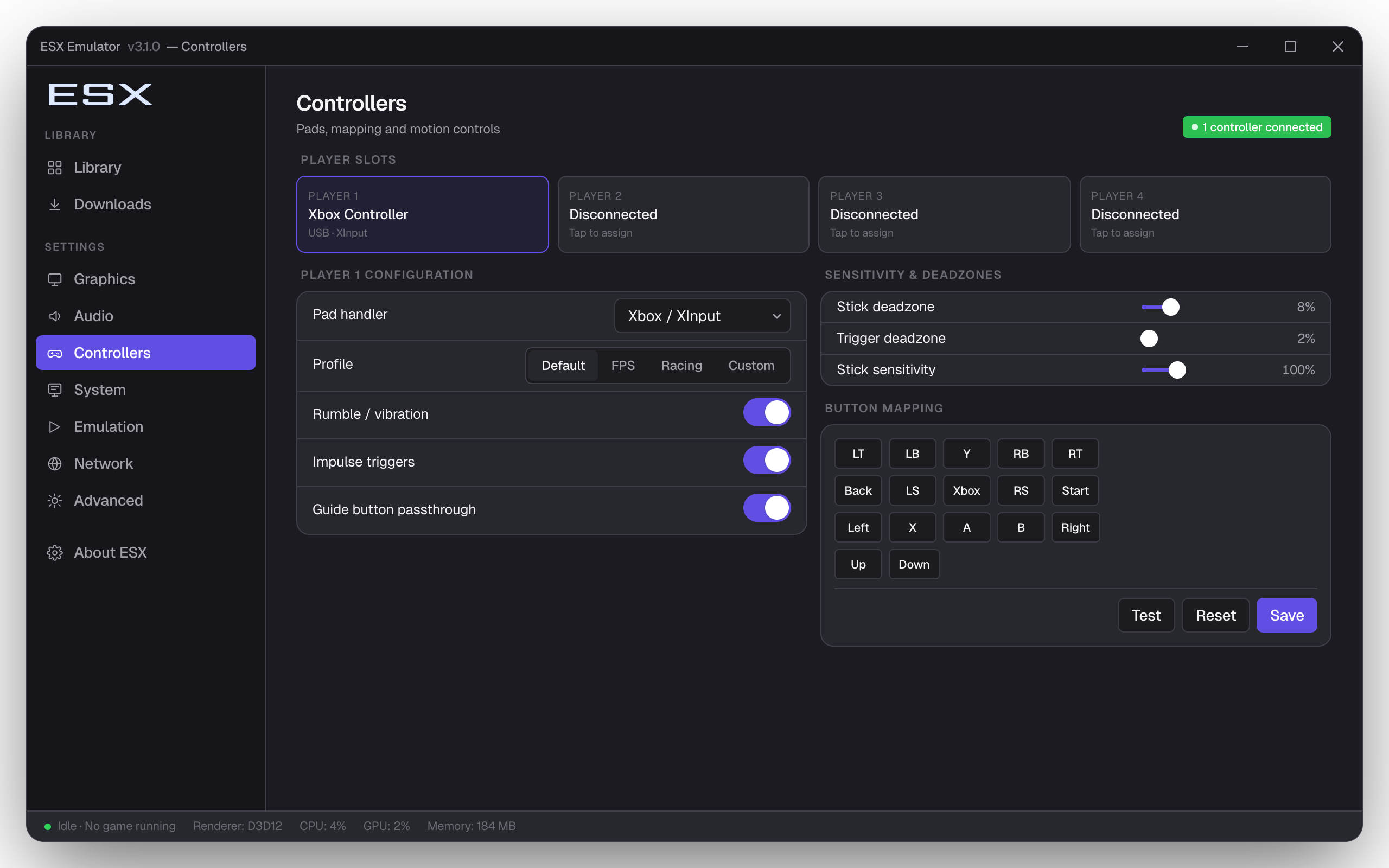
Tune Emulation Settings
Adjust PPU and SPU decoder modes to balance compatibility and performance. Interpreter modes improve compatibility for demanding titles; recompiler modes deliver the best FPS on modern CPUs.